Why I Built Canopy: A Dashboard for Your AI Coding Agents
- Isac
Table of Contents
I use AI coding agents every day. Not occasionally. It’s core to how I work.
Claude Code, Codex, Cursor. At any given moment I might have 3 or 4 of them running in parallel across different git worktrees, each one tackling a different task while I stay focused on the bigger picture.
It works. Until it doesn’t.
The Problem No One Was Solving
When you run multiple agents at once, you’re supposed to be orchestrating. In practice, you’re firefighting.
There’s no single place to see what’s happening. You’re switching between terminal panes constantly. One agent has been waiting for your input for 10 minutes and you just didn’t notice. Another finished its task. Another hit an error and stalled. The cognitive overhead of tracking all of this kills the productivity gains that parallelism was supposed to give you.
I looked for something that solved this. Nothing did.
Every tool I found was either focused on a single agent at a time, or it was a heavy IDE integration that didn’t fit my terminal-first workflow. The gap was clear: there was no lightweight, terminal-native way to manage multiple AI agents across worktrees.
So I Built Canopy
Canopy is a terminal UI that gives you one dashboard above all your agents.
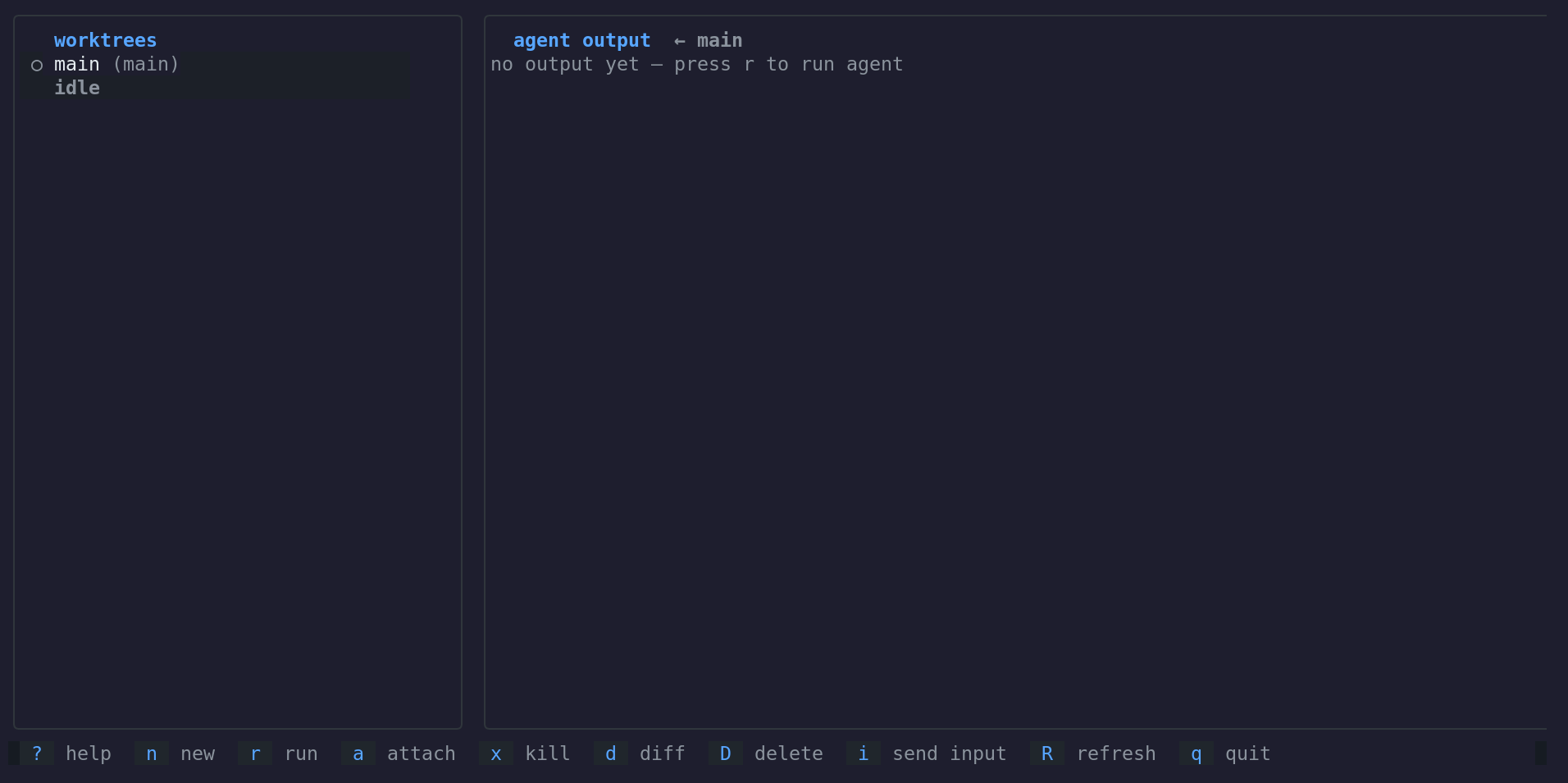
Here’s what it does:
- Worktree list: Every git worktree in a single panel, with real-time status for each one (running, waiting, done, error)
- Live output: A panel showing the agent’s output stream for whatever worktree you’ve selected
- Full controls: Launch agents, kill them, send input to the ones waiting for a response, and review diffs. All without leaving the terminal
- Keyboard-driven: Everything is a single keypress away.
nto create a new worktree,rto run an agent,ito send input,dto diff,xto kill
The whole point is that you never lose track of what’s happening. You glance at the dashboard, see which agents need attention, handle them, and get back to thinking about the actual problem you’re solving.
Why a TUI?
I live in the terminal. My editor is in the terminal. My git workflow is in the terminal. My agents run in the terminal.
Adding a web dashboard or an Electron app would mean context-switching away from where the work actually happens. A TUI keeps everything in one place. You can split your terminal however you want, keep Canopy in a pane, and it’s always right there.
The Stack
Canopy is built in Go. Single binary. No dependencies beyond tmux.
I chose Go because it compiles to a single binary that runs anywhere, and the Bubble Tea framework makes building terminal UIs surprisingly pleasant. The tmux dependency is intentional: it’s already the backbone of most terminal-heavy workflows, and it gives Canopy a reliable way to manage agent sessions without reinventing process management.
The architecture is simple. Canopy watches your git worktrees, manages tmux sessions for each agent, and renders the status in a clean two-panel layout. No daemons, no config files, no setup beyond cloning and building.
What’s Next
Canopy solves my daily workflow problem, but there’s more I want to do:
- Agent-agnostic integration: Right now it works with any CLI agent. I want to add deeper hooks for Claude Code and Codex so the status reporting is richer
- Neovim integration: A full plugin that brings Canopy’s dashboard into your editor. It’s ready, and I’ll write a dedicated post on it soon
Try It
Canopy is open source under the MIT license. If you’re running multiple AI agents in parallel and feeling the chaos, give it a shot.
It’s early. Things will break. That’s fine. Open an issue, tell me what’s missing, and let’s build the tooling this workflow actually needs.
FAQ
Q: Does Canopy only work with Claude Code? No. It’s agent-agnostic. Any CLI-based agent that runs in a terminal works with Canopy. Claude Code, Codex, aider, whatever you use.
Q: Do I need tmux installed? Yes. Canopy uses tmux to manage agent sessions. If you’re already working in the terminal, there’s a good chance you have it. If not, it’s one package install away.
Q: Can I use this on macOS and Linux? Yes. Go compiles to both platforms, and tmux is available on both. Windows support via WSL should work but isn’t tested yet.
Q: Is this production-ready? It’s early stage. I use it daily and it handles my workflow well, but expect rough edges. Contributions and bug reports are welcome.